Pink Peonies Watercolor PNG: A Designer’s Guide to Hand-Painted Florals
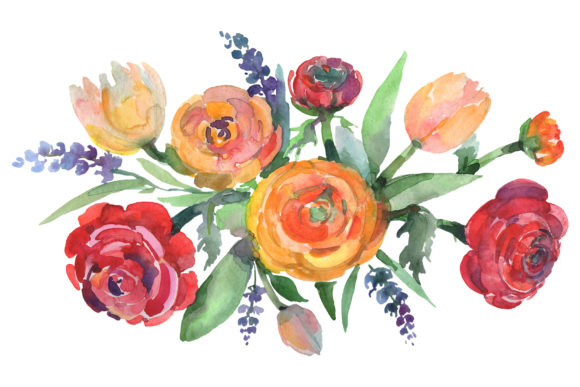
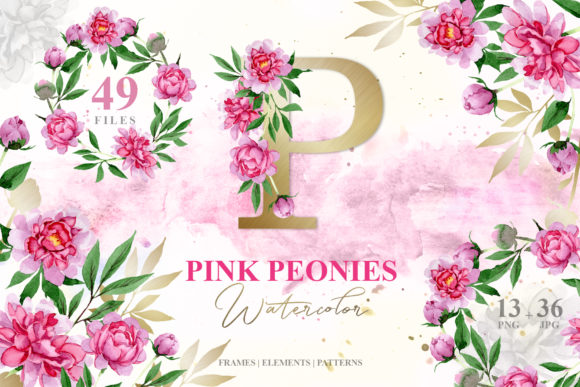
There is something about peonies that feels both romantic and confident. Their layered petals, soft blushes, and natural volume make them a favorite in everything from wedding stationery to brand packaging. Now imagine that same botanical beauty translated into hand-painted watercolor elements, each one scanned at high resolution, separated by file, and ready to drop into your next project. That is exactly what the Pink Peonies Watercolor Png pack delivers: forty-nine individual assets built for real creative work.
Whether you design invitation suites for a living, run a small paper goods shop on Etsy, or simply enjoy making thoughtful content for your blog, this collection offers a surprisingly flexible set of tools. The watercolor style leans organic, soft, and slightly luminous, which means it pairs well with modern typography, minimalist layouts, and even more ornate script fonts. It does not scream for attention, it earns it through texture and subtle detail.
What Makes This Pack Different From Generic Floral Clip Art
If you have spent any time searching for floral design assets, you know the struggle. Many so-called watercolor sets are actually digital simulations that look flat or overly smooth. The Pink Peonies Watercolor Png collection avoids that problem because every element is hand-painted with real watercolor media before being digitized. The result is a collection that retains paper grain, pigment variation, and the natural bleeding that happens when water meets paint.
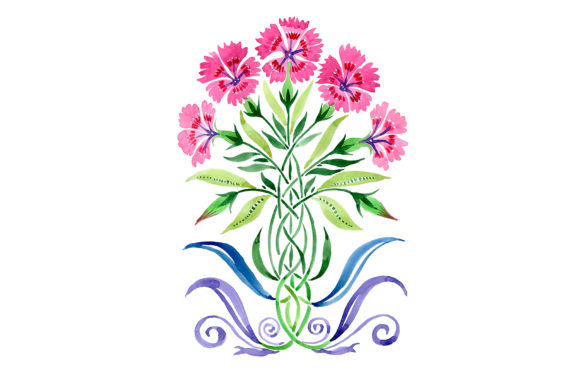
The pack includes thirteen PNG files with transparent backgrounds, thirty-six JPG files, and a mix of frames, borders, patterns, and isolated blooms. The isolated elements are especially useful if you like to layer florals behind or around text. Because the PNGs come in at 300 dpi with no background, you can place them over almost any color or texture without worrying about white boxes or messy edges. The patterns and frames are sized at 3500 by 3500 pixels, which gives you plenty of resolution for print projects up to about eleven by eleven inches at full quality.
For designers working in branding or editorial layout, this kind of resolution matters. You can scale down without losing detail, and you can crop into larger elements for custom compositions. The watercolor style itself is warm without being muddy, which keeps it versatile across different color palettes.
Where Hand-Painted Watercolor Elements Add the Most Value
In my experience, the projects that benefit most from watercolor florals are the ones that need to communicate softness, celebration, or natural elegance. Wedding invitations are an obvious fit, but the applications go much further. Here are a few areas where this particular pack shines:
- Brand identity for lifestyle and beauty businesses. A peony watercolor accent on a business card or product label instantly signals a feminine, premium feel without needing expensive custom illustration.
- Social media graphics and quote cards. Because the elements are isolated and transparent, you can place a single bloom next to a bold sans serif quote and create something that looks like it took hours to illustrate.
- Greeting cards and stationery. The frames and borders in this pack are designed to complement text rather than compete with it. You can drop in a border, add a handwritten-style font, and have a finished card design in minutes.
- Blog headers and digital content. Many bloggers struggle to find imagery that feels cohesive without being repetitive. Using watercolor elements from the same family across posts creates visual consistency.
- Packaging design for small product lines. Soap labels, candle boxes, and tea tins all benefit from the organic feel of hand-painted botanicals. The 300 dpi PNGs print cleanly even on kraft or textured paper.
What I appreciate about this collection is that it does not force you into a single layout style. The isolated blooms let you build asymmetrical compositions, while the patterns work for backgrounds where you need coverage without distraction. The frames, meanwhile, sit comfortably around both centered text and more modern, off-grid typography.
Practical Guidance for Choosing and Using Watercolor Assets
When you are evaluating whether a watercolor pack fits your project, three things matter: resolution, transparency quality, and color consistency. This pack checks all three boxes, but let me walk through how to make the most of them in your workflow.
Start with the PNG files for layered compositions. Because these assets have no background, you can stack them behind text or over colored shapes without additional masking. If you are designing a wedding invitation in Adobe InDesign or Canva, simply drag the file onto your canvas and adjust the scale. The 300 dpi resolution means you can enlarge the element by about twenty percent before noticing any pixel softening, and you can shrink it significantly without losing detail.
Use the JPG patterns as textured backgrounds. The patterns in this set are full-coverage, which makes them ideal for double-sided print pieces like postcards or menu cards. Because they are 3500 pixels square, they tile well at standard print sizes. If you need a seamless look for a larger surface, you can duplicate the pattern and blend the edges in Photoshop or use it as a repeating background block.
Pay attention to font pairing. Watercolor florals have an organic, irregular edge. That means rigid geometric sans serifs can clash if you are not careful. Instead, consider pairing these elements with a soft serif, a modern script, or even a clean handwritten font. The contrast between the painterly blooms and a structured typeface creates strong visual hierarchy without extra effort. For a more romantic feel, a flowing script font layered over an isolated peony works beautifully. For something more editorial, try a bold slab serif with a subtle watercolor border.
Think about color editing. The pack description notes that the elements are fully editable in terms of size and colors. If you work in Photoshop or Procreate, you can adjust hue and saturation to match a specific brand palette. A pink peony shifted slightly toward coral might work for a summer brand, while a deeper rose tone suits a fall wedding. The hand-painted texture holds up well under color adjustments because the original pigment variation remains intact.
How Watercolor Florals Influence Readability and Brand Perception
Design is about more than just making things look pretty. Every visual element communicates something to the viewer before they read a single word. Watercolor florals tend to evoke feelings of handcrafted care, organic beauty, and emotional warmth. When you use Pink Peonies Watercolor Png elements in a brand identity or invitation, you are signaling that the project was made with intention, not just assembled from stock shapes.
From a readability standpoint, these assets work best when they frame or accent text rather than overpower it. The patterns in this pack are busy enough that placing long paragraphs of text directly over them can reduce legibility. The better approach is to use the patterns as background borders, or to place text in negative space areas within the composition. The isolated blooms and frames are more forgiving because they leave open space around the focal point.
For brand consistency, having a full family of floral assets means you can maintain a cohesive look across print and digital channels. Use an isolated peony on your Instagram post, a patterned border on your packaging, and a full-frame design on your website hero image. The visual through-line of the watercolor style ties everything together without needing a strict grid or color code.
Commercial licensing is always a consideration when you buy design assets for client work. If you are a designer creating logos, wedding invitations, or product packaging for paying clients, you need to know whether the license covers commercial use. This pack is positioned for both personal and commercial applications, which means you can use it in client projects without worrying about attribution or usage caps. Always confirm the specific license terms with the seller, but the product description indicates broad creative freedom.
A Few Realistic Workflow Examples
Let me give you three brief scenarios to show how different creatives might use this pack in practice.
A stationery designer working on a spring wedding suite could use one of the JPG borders as a base for the invitation, then layer an isolated peony PNG near the couple’s names. A modern script font like something from Laura Worthington’s collection would sit naturally beside the watercolor texture. The result is a custom look without hand-painting each piece from scratch.
A small business owner selling organic skincare products could take one of the patterns, adjust the color to match her brand’s sage green and blush palette, and use it as a background for product labels. The watercolor feel reinforces the natural ingredients message. She could also use an isolated bloom on her website’s About page behind a soft serif headline.
A content creator sharing lifestyle photography on Instagram could build a consistent visual theme by using the same peony element in quote graphics, story backgrounds, and blog post headers. The transparent PNG format makes it easy to swap colors behind the flower without re-editing the asset itself.
In each case, the value comes from the pack’s versatility and the fact that the assets are already isolated, properly scaled, and ready to use. You are not spending hours cutting out backgrounds or fixing jagged edges. You are spending that time on composition, typography, and the creative decisions that actually matter to your project.
If you work with watercolor elements regularly, you know that not all collections are created equal. The Pink Peonies Watercolor Png pack stands out because it treats floral illustration as a design tool, not just a decorative afterthought. The hand-painted originals give you texture and authenticity, while the digital preparation gives you speed and precision. That combination is harder to find than it should be, and it is exactly what makes this collection useful across print, digital, personal, and commercial work.